
Gather Round Group locations · rally directions

Coming soon

Meet up easily.
One code,
one map for the group.

No account. A join code and PIN are enough to see people, cars, and the rally point together. When the group ends, location history is deleted.

  • No sign-up
  • Android · join on the web
  • 한국어 · English
Gather Round map. user01 (Me) and user02, 64 m apart, with an orange safe-radius circle.
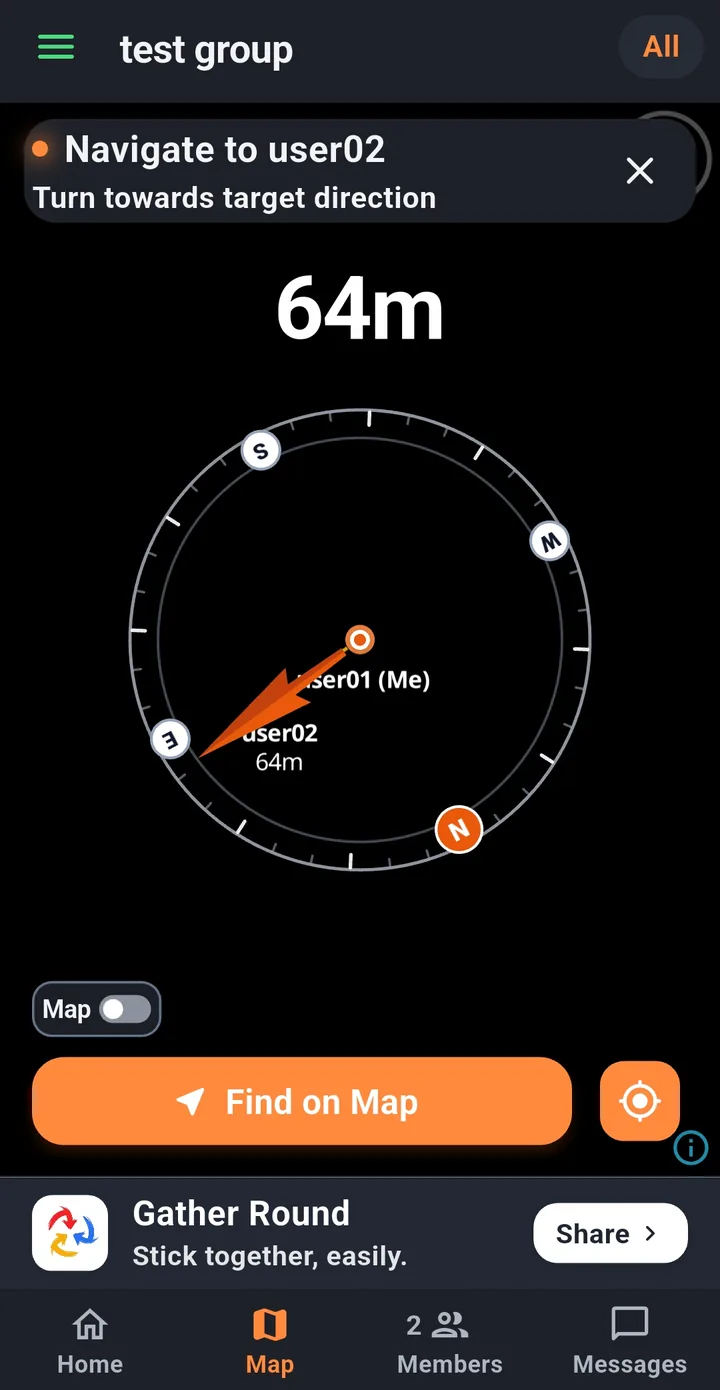
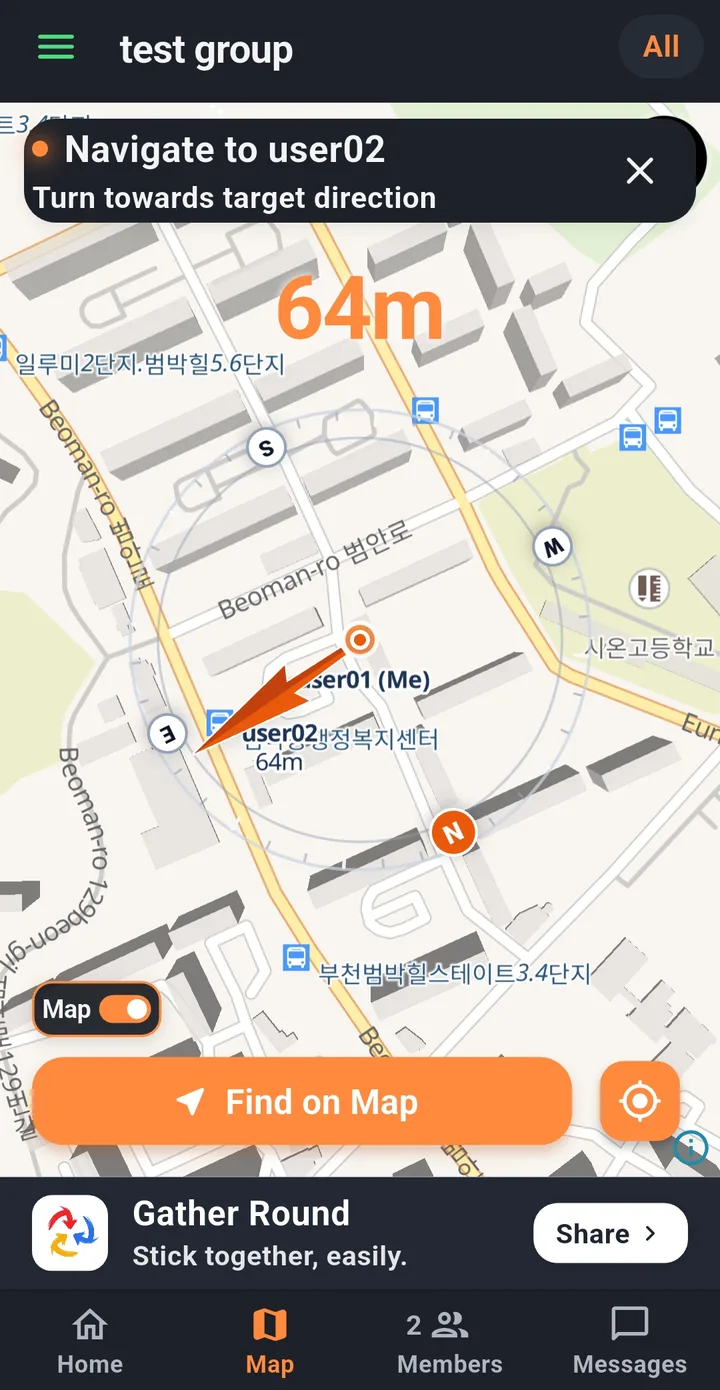
Compass to find a member, with the distance left.

For groups

When it’s useful

  • Group trips
  • Guided tours
  • School trips and field trips
  • Family outings
  • Club hikes and rides
  • Event staff
  • Traveling in several cars

Get started

It takes about a minute

No legal name, phone number, or account. Each group needs a 6-digit join code and a 4-digit PIN.

  1. Create a group

    Set the group name, your display name, the join PIN, and the start and end. The local time zone and the dates are shown together.

    If there is a professional guide, you can also mark a guide and a dedicated driver.

  2. Invite the group

    Copy the join code, send an invite by messenger or text, or show a QR code on the spot.

    Someone without the app can join in a web browser.

  3. Look together

    Map, Members, and Messages show where people are and what was announced. When the group ends, locations stop updating.

    Turn on join approval and only people the leader accepts can enter.

1

A live group map and a safe radius

Members and cars in the same group appear on one map. Set a safe radius from 0 to 500 m, and anyone outside it is marked in red.

  • Fit the whole group on one screen
  • Measure distance from you or from the rally point
  • Turn the map off and keep the dots and distances
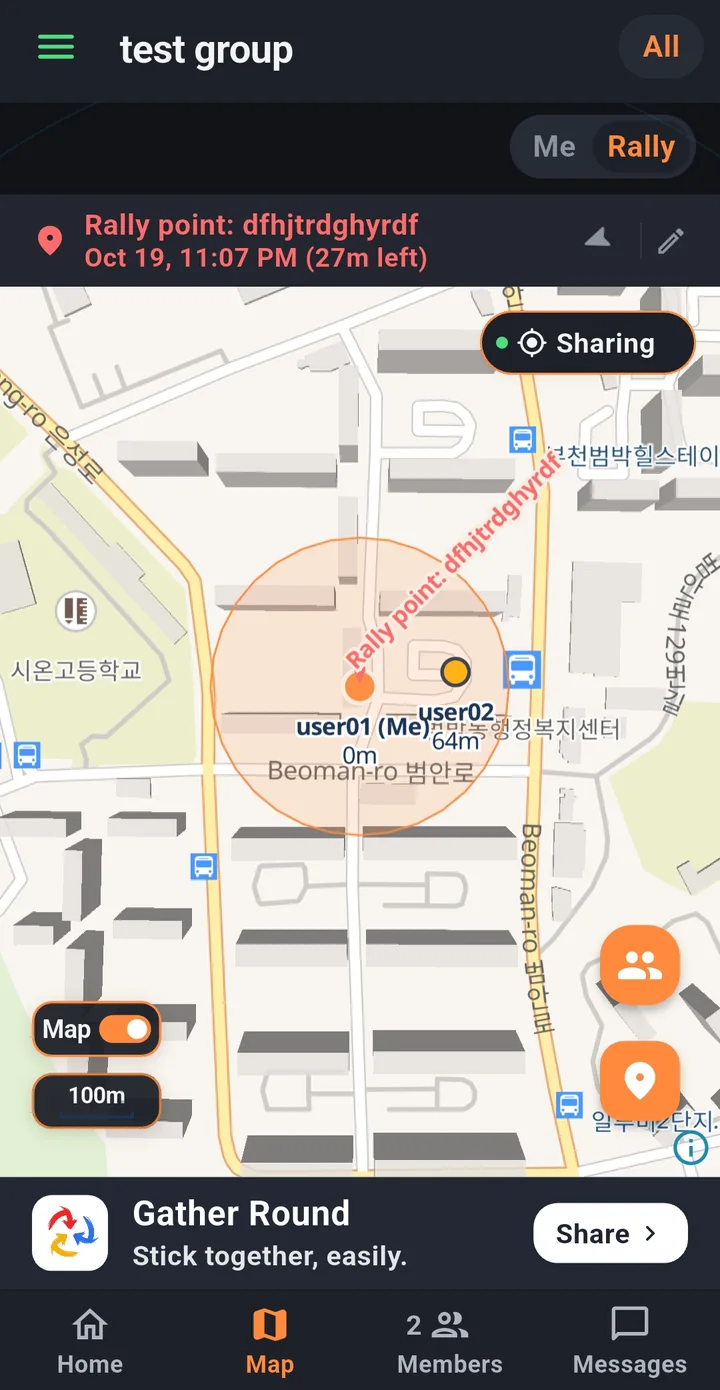
Group map. Two members and an orange safe-radius circle.
2

Find someone with the compass

Pick a member or the rally point and the direction and distance show up large. The top of the screen is where the phone is pointing, so you follow the arrow.

  • Over the map, or without it
  • Opens directions in a map app
Compass over the map, with the distance left.
Compass with the map background off.
3

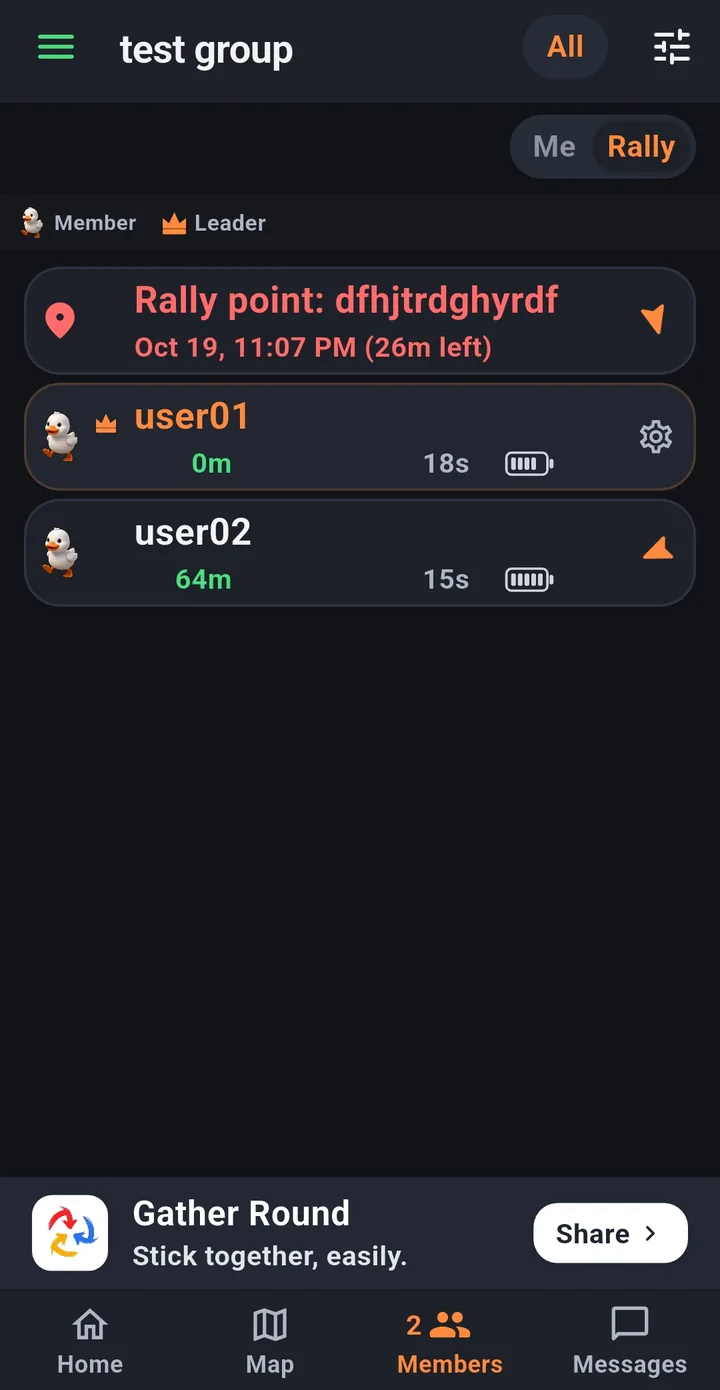
Member status at a glance

A member card shows the name, distance, when the location was updated, and the battery. Tap the arrow to walk toward that person.

  • Roles: guide, member, driver, leader, team lead
  • Someone outside the radius gets a red card
  • The leader can assign a driver, grant a role, or remove someone
Member list with distance, location time, and battery.
4

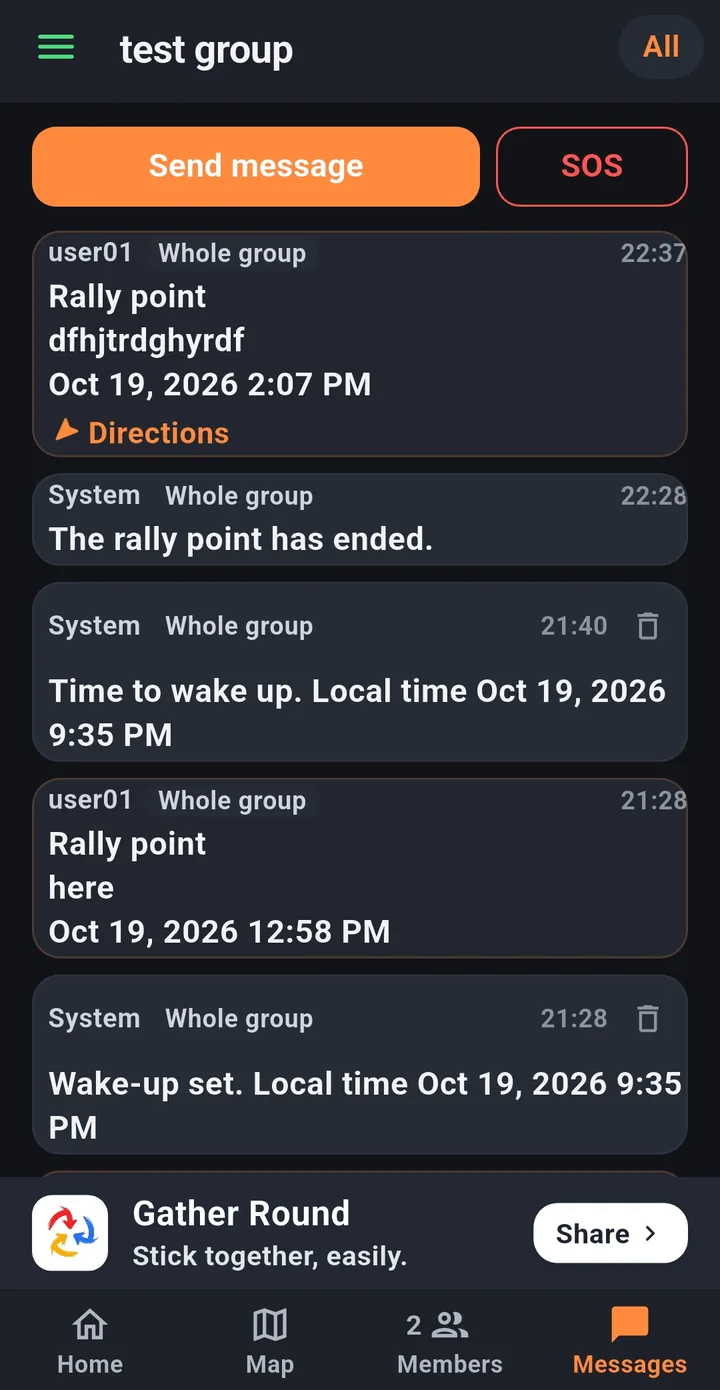
Announcements, messages, and SOS

Guides and team leads send announcements. If the leader allows it, every member can write. In an emergency, SOS goes to the group after a confirmation.

  • An incoming SOS appears in a banner
  • Walk to the rally point from its notice
Messages tab, with send and SOS.

More

Tools for the person leading

Built so the person in charge has less to juggle.

Rally-point notice

Announce a place, a location, and a time. A pin goes on the map, and the time left is shown.

Wake-up alert

Set a wake-up time and every member is notified then.

Cars and drivers

Register a car and assign a driver. The car’s location follows that driver.

Teams

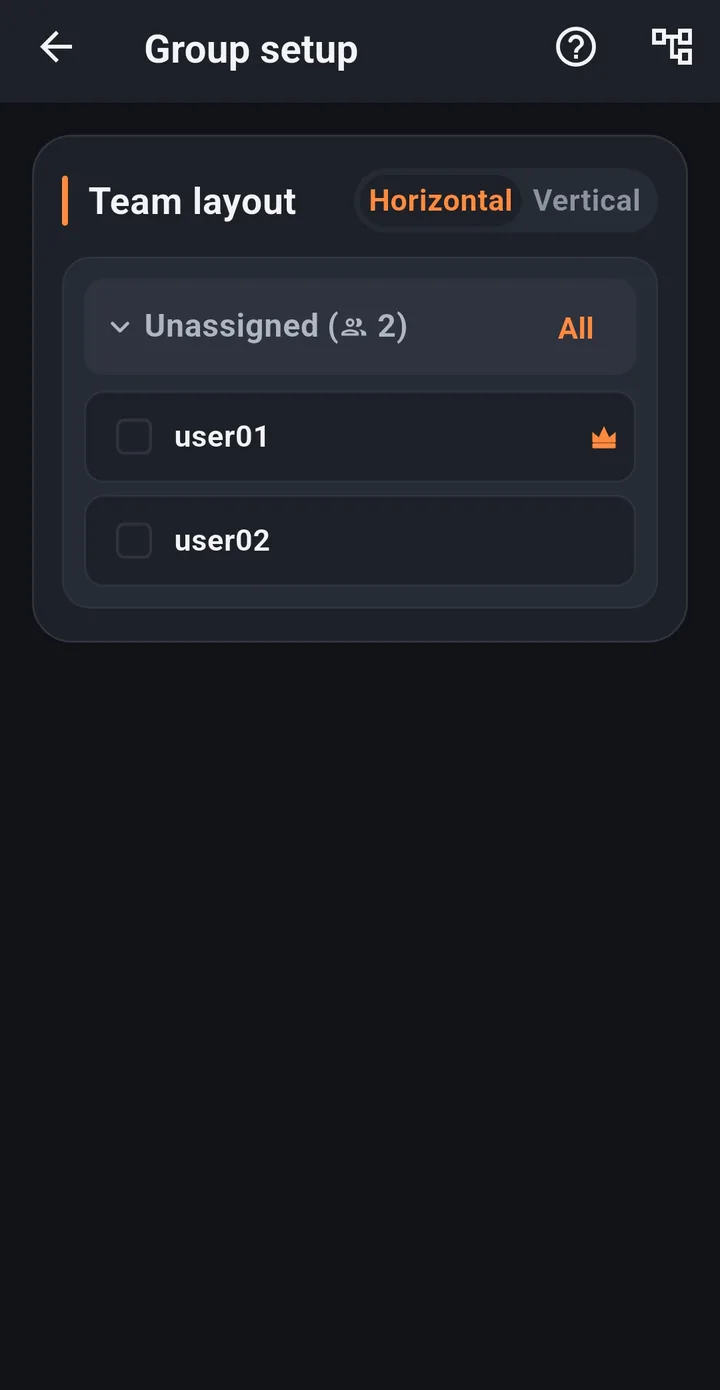
Turn team mode on and the map, members, messages, and rally point are per team. Drag members between teams. Turning it off returns to the whole group, and the teams stay saved.

Join approval and closing joins

With approval on, only people the leader accepts can enter. Closing joins blocks new people. Members already in stay.

QR and messenger invites

Use a QR code in person, or send an invite through a messenger.

Continue on another device

A link code lets another phone join as the same member.

Pause location sharing

When you turn it off for a while, pick how long, and you can schedule when it turns back on.

Screens

A look through the app

These are real screens. Swipe sideways.

Privacy

Location is shared only while you share it

Gather Round has no accounts. Data it collects is not used for ads or marketing.

No account

We don’t take a legal name, phone number, or email. The name on screen is a display name you choose.

Deleted when it ends

When a group ends, member details, location history, and messages are permanently deleted and cannot be restored.

You choose the permission

Sharing while you move needs “Allow all the time,” but you can still open the map if you decline, and change it later.

FAQ

Questions

Do I need an account?

No. You join with the join code and PIN for that group. No name, phone number, or account.

Does location have to stay on?

“Allow all the time” is needed if the group should see you while you are moving. You can still open the map if you decline.

What if I turn my location off?

You can see other members’ locations only while you share yours. The rally point and messages stay visible even if sharing is off.

Whose location is the car’s location?

The location of the person assigned as the driver.

What about an emergency?

You can send an SOS from the Messages tab. After one confirmation, the whole group is notified.

What happens to location when I leave, or the group ends?

Leaving stops location updates for that group. When the group ends, all of its data is permanently deleted. An ended group can only be viewed.

Gather Round is getting ready to launch.

For launch news, or to ask about using it with a group, send an email.