
Done when you arrive
Other apps wait until you open them and tap save. CarLoc writes it down when you turn the car off and get out.
When your car’s Bluetooth disconnects, CarLoc keeps the time and the spot. Teach it the buildings you use often, and it can name the underground floor too.
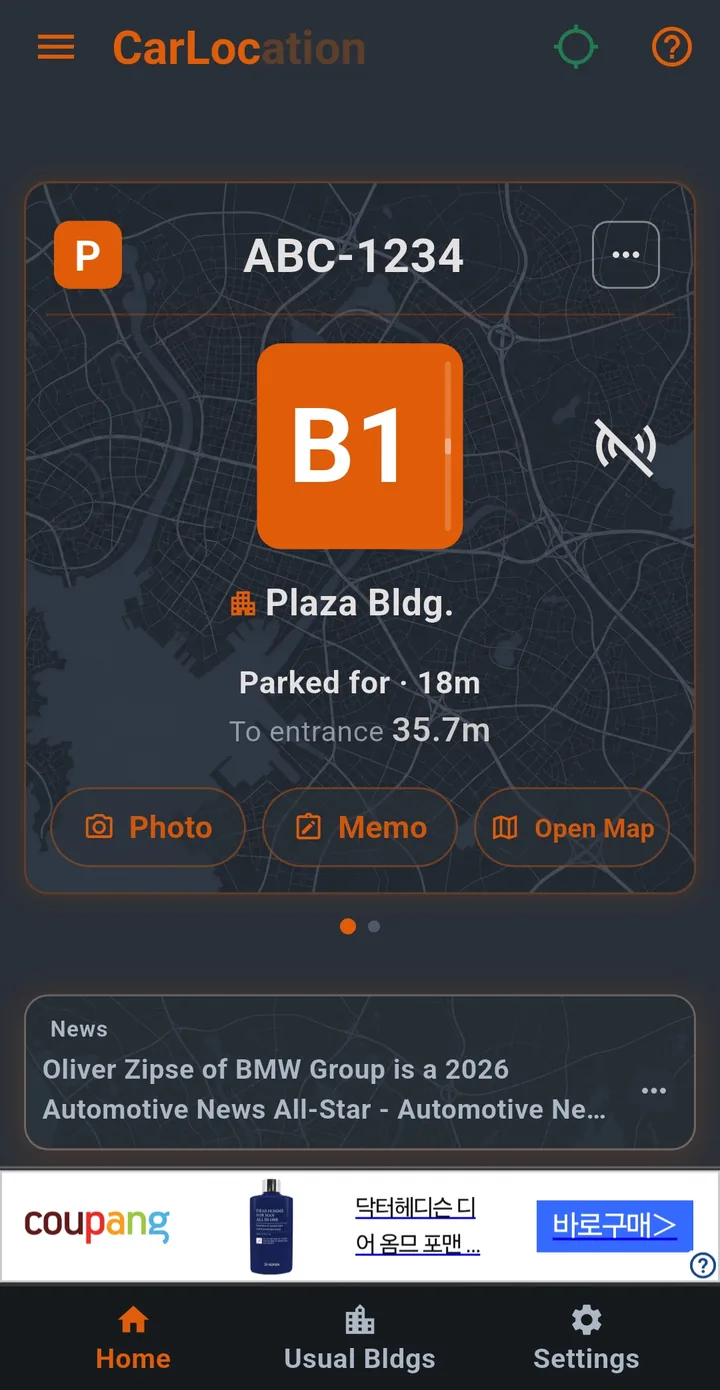
Other apps wait until you open them and tap save. CarLoc writes it down when you turn the car off and get out.
Even in an underground garage GPS can’t reach, a building it has learned can show B1 or B2.
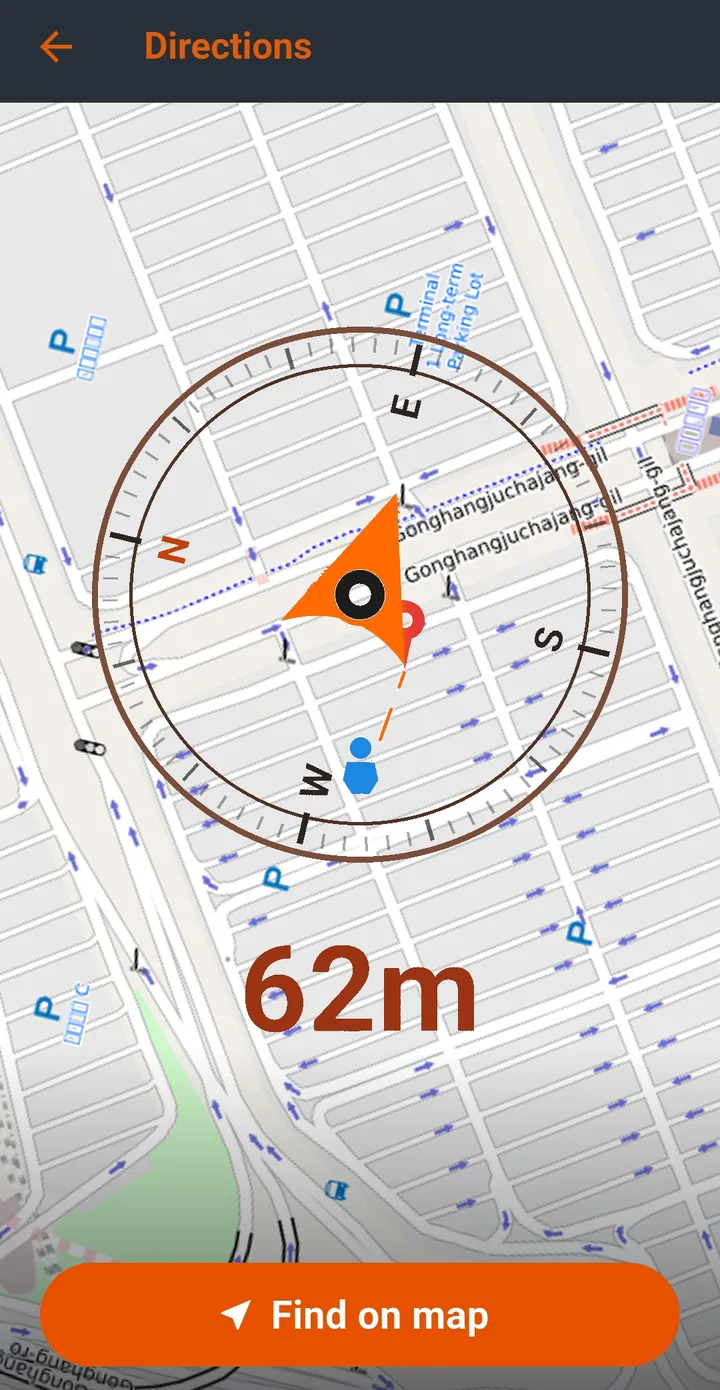
A large outdoor lot uses the compass. An unfamiliar neighborhood uses map directions. Either way you get back to the car.
How it works
Registering the car is enough. Add a building if you want the underground floor, and learn the floors ahead of time if you want it right away.
Registering the car is enough to keep a parking record. The time and the spot on the map are saved. There are two ways back to the car.
The compass shows the direction and the distance. Hold the phone and follow that direction. The home-screen widget, notes, photos, and the parking alarm work here too. There is no underground floor number yet.
Includes step 1. Add the building location, the entrance, and the parking floors.
When you park at that building, its name and entrance are attached to the record.
If someone else has already taught that building, the floor can be estimated even if you do not pick it.
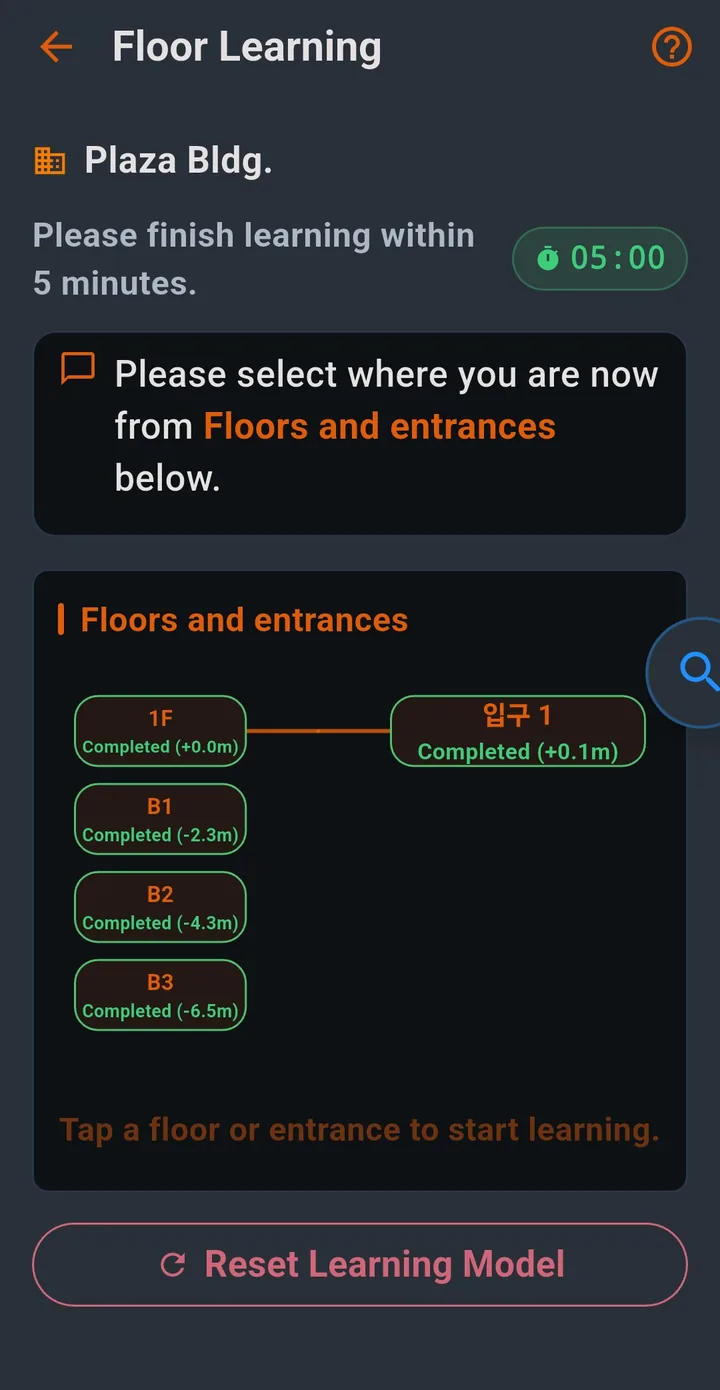
Includes step 2. You walk the floors in one pass, instead of letting the learning build up each time you park. Stand on a floor and at the entrance, then save the learning.
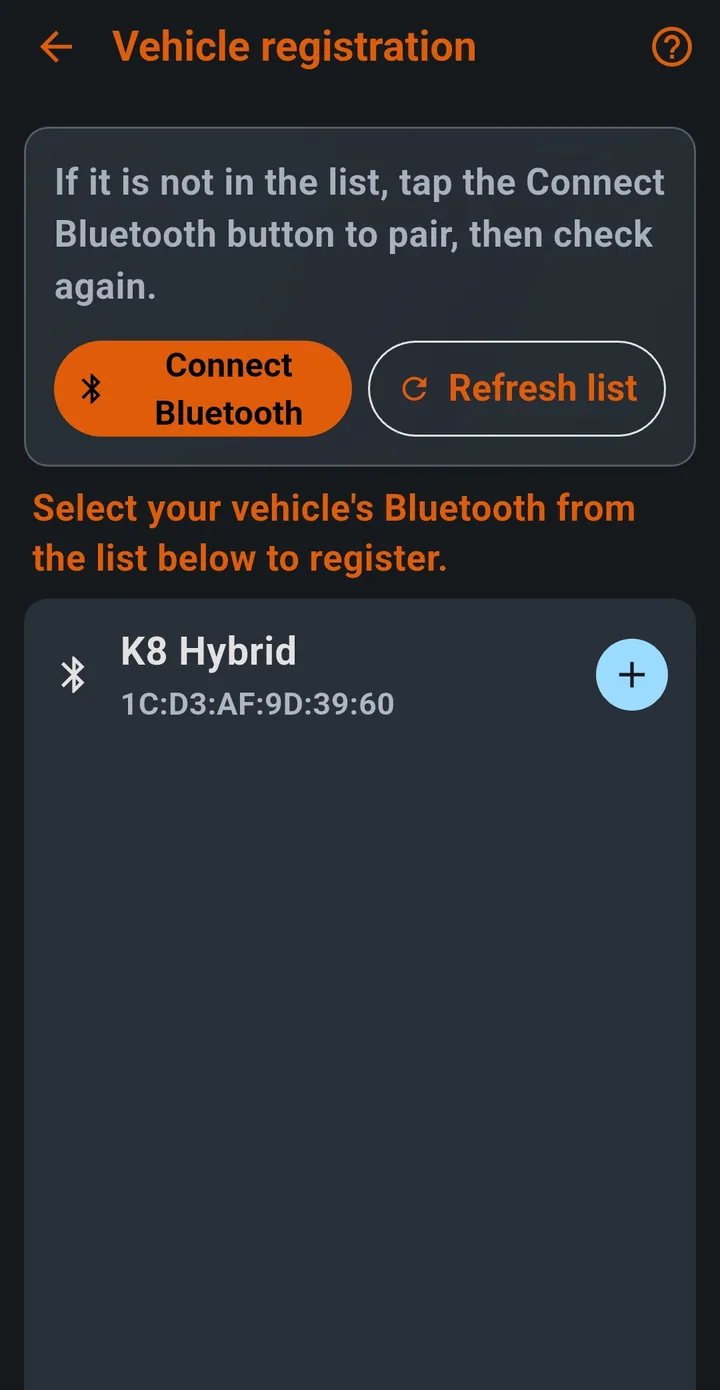
When a registered Bluetooth device, such as the car, disconnects, CarLoc treats that as parking. You don’t open the app when you arrive.
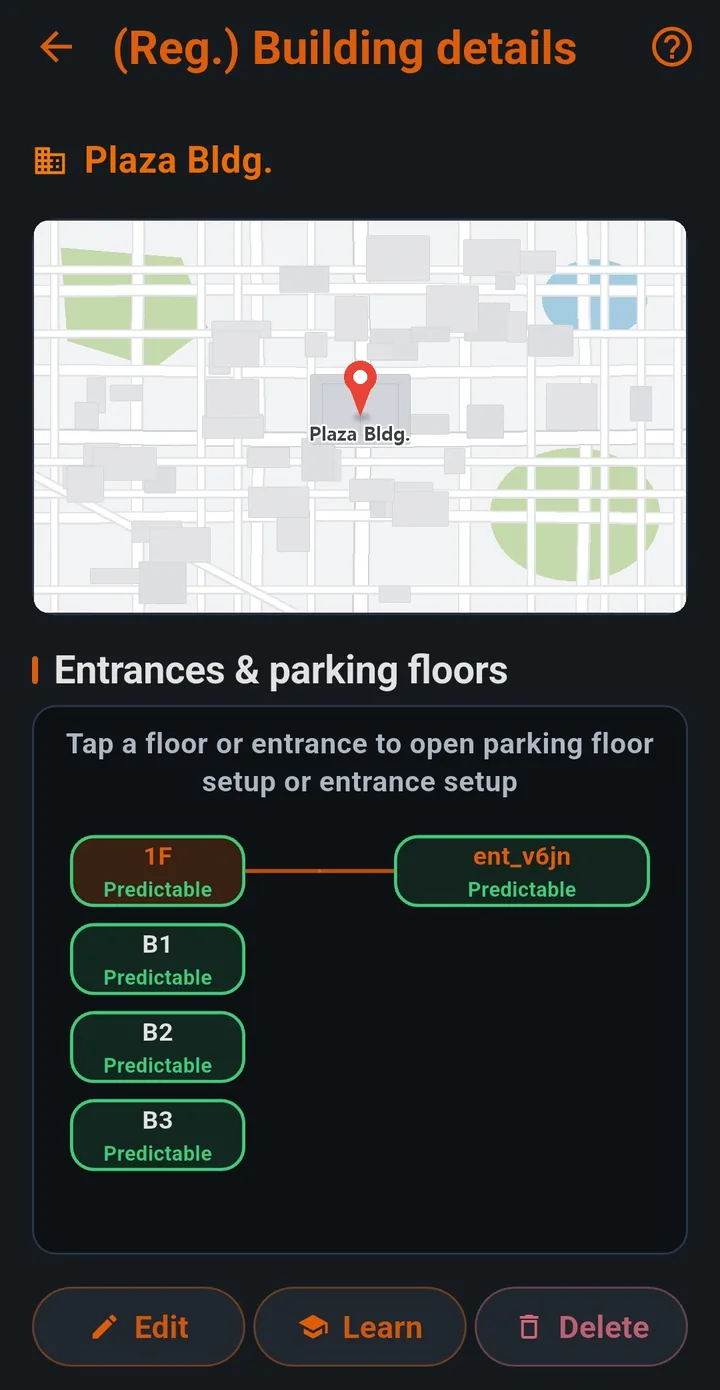
Register the building, entrance, and parking floors, then learn the floors. CarLoc can then estimate the floor even underground.
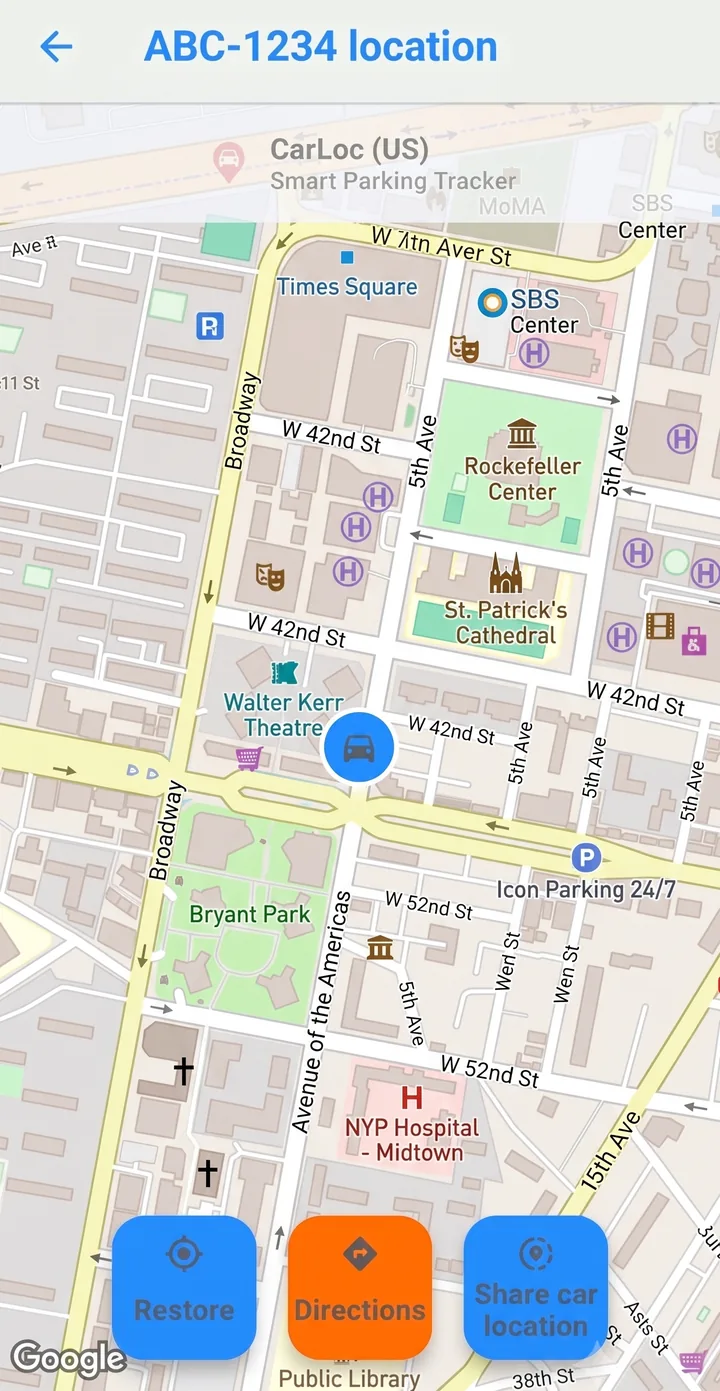
In a wide outdoor lot, like an airport, follow the direction instead of a route. Somewhere unfamiliar, open map directions. You can also share the car’s location.
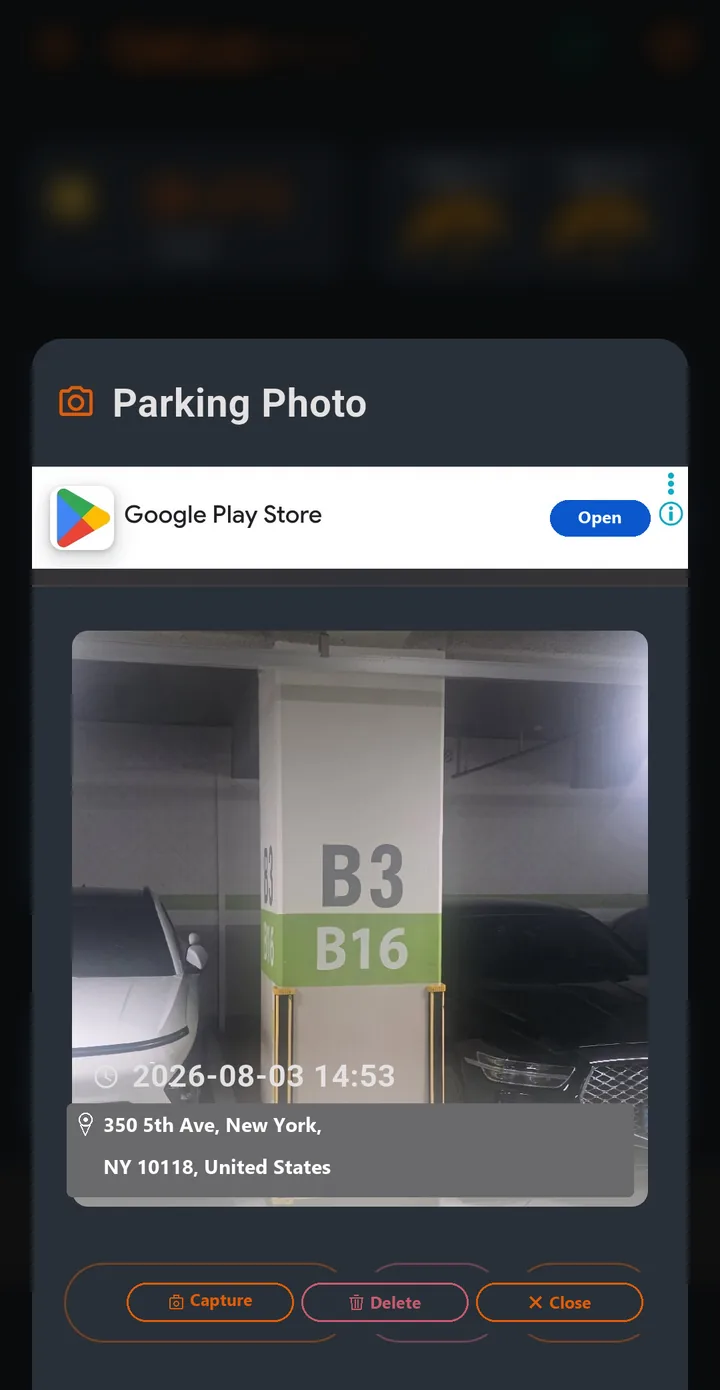
At a new building, photograph the pillar number or jot a short note. The photo keeps the time and the address with it.
More
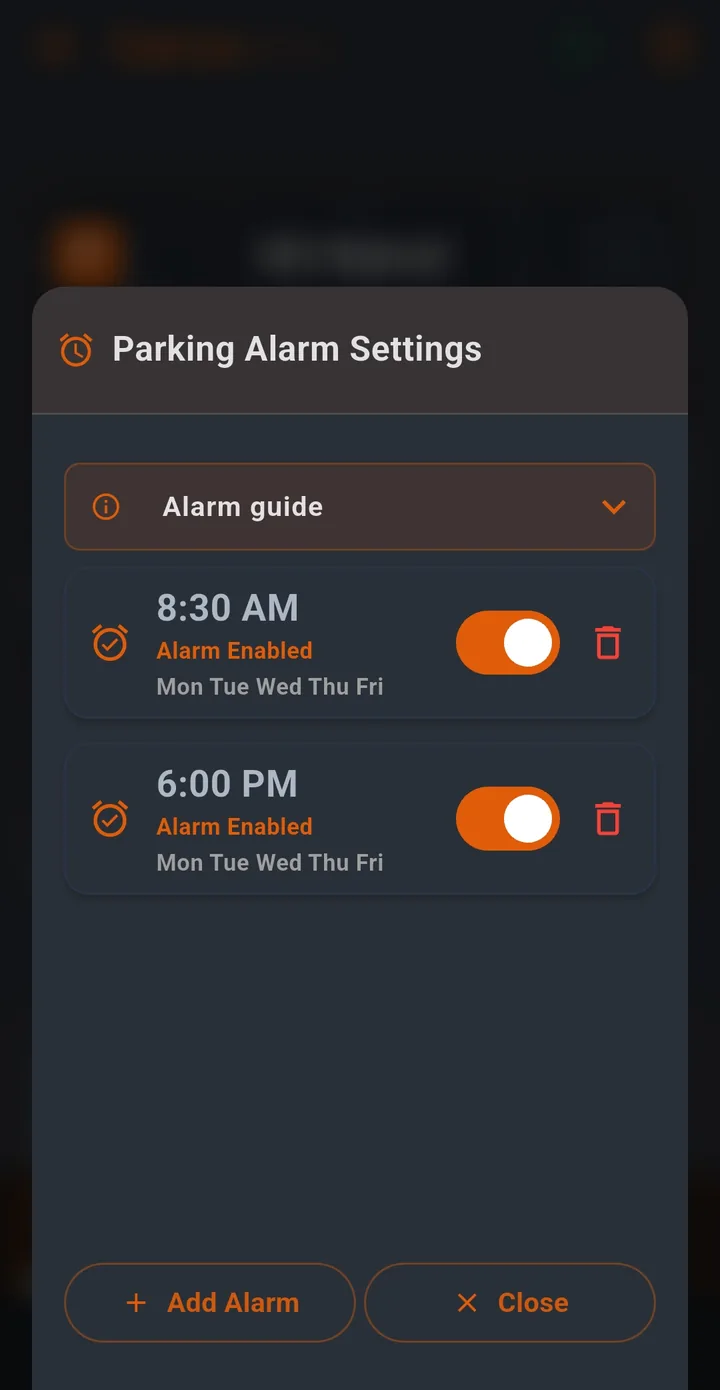
Pick the days and the time, and it reminds you then. Useful for a commute.
See the floor and the building without opening the app. Sizes 1×2 and 2×2.
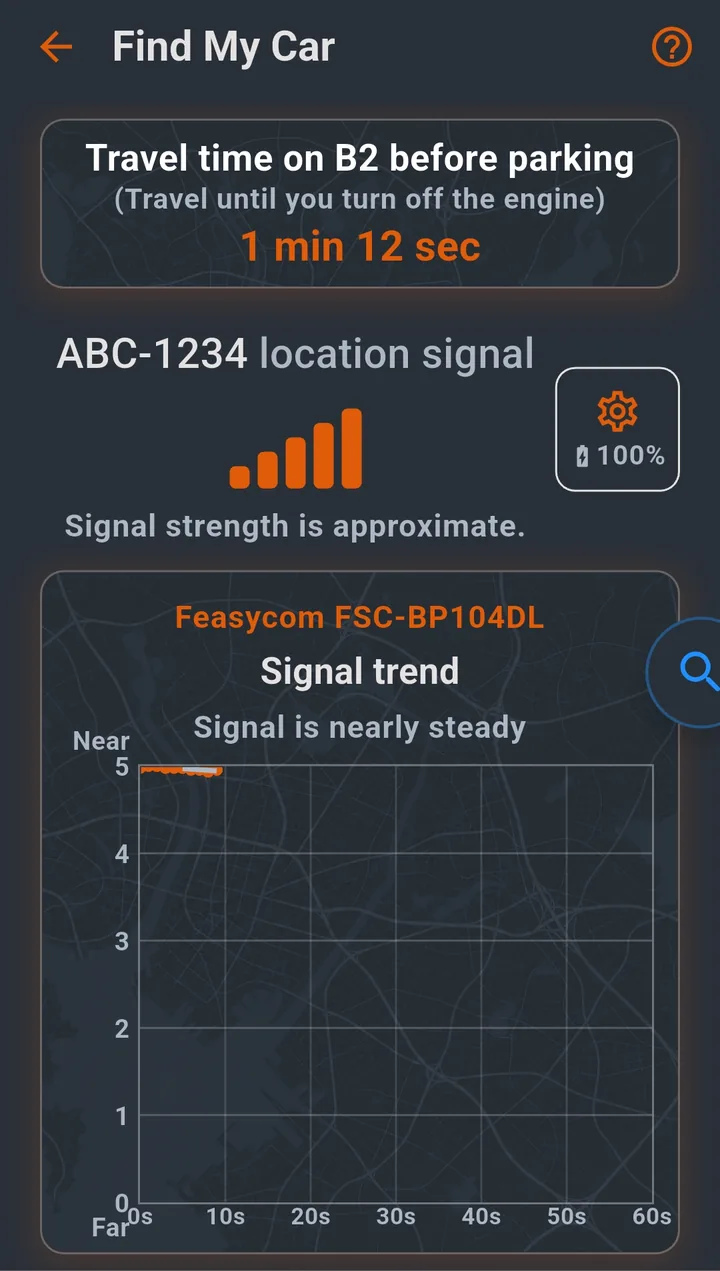
Leave a beacon in the car and the signal strength suggests which way it is, along with a walk time by floor. You need a separate beacon.
Back up buildings, learning data, and parking records to a folder you choose, then restore them on a new phone.
Korean, English, Japanese, Chinese, Thai, Vietnamese, major European languages, and Arabic.
Screens
These are real screens. Swipe sideways.
Privacy
We don’t take an account, contacts, or call history. Most data stays on the device.
Parking records and building and floor estimates. Background location is needed if it should save a spot without you opening the app.
Whether the registered car is connected, and the find-my-car beacon signal.
Parking alarms, service notices, and parking photos.
FAQ
No. When the car’s Bluetooth disconnects, CarLoc records the parking in the background. Open it when you need to find the car.
Register the building, entrance, and parking floors, then learn the floors, and it estimates the floor at that building. With only the car registered, there is no floor number. If someone else has already taught the building, it can estimate the floor without you picking one.
No. The beacon is an optional way to find the car. It is separate from the car’s Bluetooth, and parking records and floor estimates work without it.
No. Parking photos stay on the device and in a backup folder you choose. They are not uploaded.
It is free on Google Play for Android. The app includes ads.
CarLoc remembers it. Questions can go to chocolabs.carloc@gmail.com.